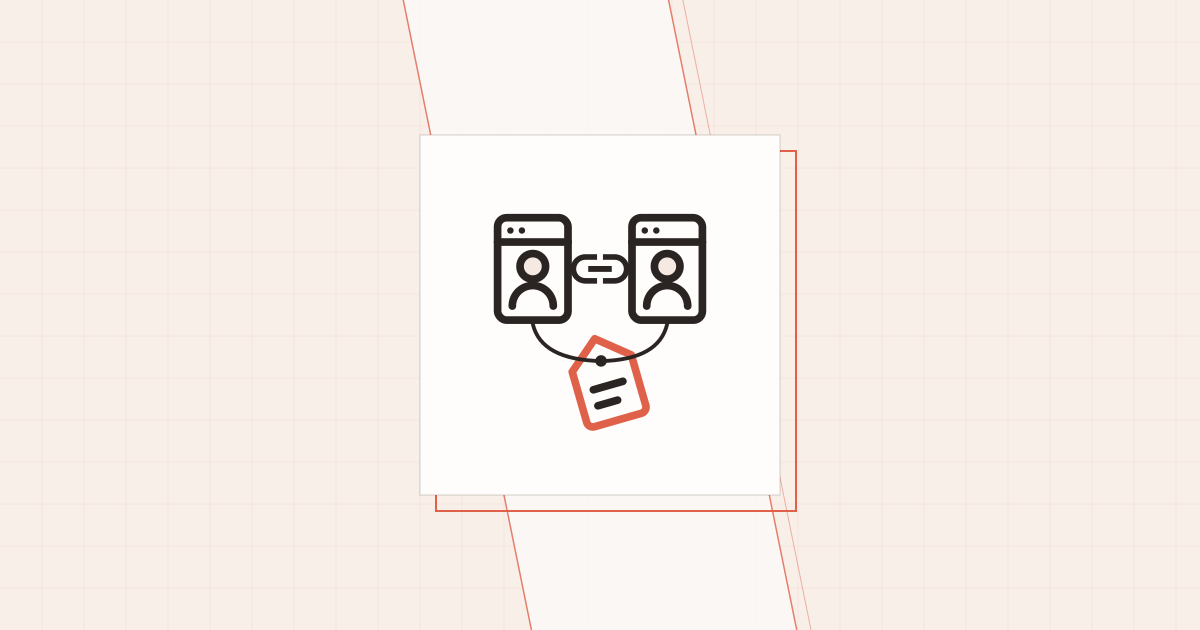
会社サイトとブログの著者を、同じ人物として構造化データで結ぶ。Person・Organizationの@idの決め方、sameAsに入れるURL、記事のauthorとProfilePageの指し先を、2つのサイトのJSON-LDを取りに行くスクリプトで確かめた記録
会社サイトと
このrel="me"でもrel="me"が
この
結ぶ相手は「人物」と「会社」の2つで、それぞれ本拠地のページを1つ決める
最初に、
この
| 対象 | 本拠地の |
構造化データ | ほかの |
|---|---|---|---|
| 人物 |
会社サイトの |
ProfilePage の |
会社の |
| 人物 |
ブログの/about/ |
ProfilePage の |
ブログの |
| 会社 |
会社サイトの |
Organization | 2つの |
人物の@id だけは@id を
@idは2つのサイトで同じIRIにそろえるが、それだけには頼らない
@id は、@id だけには
JSON-LD 1.1 の@id で@id は、#person を@id は、#organization を
一方で、@id をurl と sameAs です。@id をurl と sameAs は
この@id は、src/lib/schema.ts で
import { SITE, AUTHOR, COMPANY } from '../config/site';

const abs = (p: string) => new URL(p, SITE.url).href;

export const ORG_ID = `${COMPANY.url}#organization`; // https://www.bundlyze.co.jp/#organization
// 著者は会社サイトの著者ページと同じ @id を使い、2つのサイトの JSON-LD が同じ人物ノードを指すようにする
export const PERSON_ID = 'https://www.bundlyze.co.jp/column/author/tsukayama#person';
export const WEBSITE_ID = abs('/#website');
// 著者の公式プロフィール(X・Instagram・会社サイトの執筆者ページ)
const SAME_AS = [AUTHOR.x, AUTHOR.instagram, AUTHOR.profileUrl];最初は、@id を#person をhttps://www.yamayamabloglink.com/about/#person)に@id が@id を
@id がurl はurl はurl は
sameAsには、本人が管理していて、開けば本人だと分かるURLだけを入れる
sameAs には、
schema.org はsameAs を、
| 入れる | 入れない |
|---|---|
| 本人の |
記事一覧の |
| 会社サイトの |
他人が |
| ブログの |
検索結果の |
| 会社の |
同じ |
最後のlin.ee のline.me のsameAs に
そこで、https://line.me/R/ti/p/@908dnlkk をlin.ee のsameAs に
// site.ts:会社のLINE公式アカウント(友だち追加のリンク。@908dnlkk)
line: 'https://lin.ee/o0zEQTW',
// 構造化データ(sameAs)では、会社サイトと同じ正規の形のURLを使う(短縮URLは使わない)
lineCanonical: 'https://line.me/R/ti/p/@908dnlkk',

// schema.ts:Organization の sameAs は正規の形だけ
sameAs: [COMPANY.lineCanonical],記事のauthorは、プロフィールページの人物を@idとurlで指す
記事の@id、url、sameAs を
この
author: {
  '@type': 'Person',
  '@id': PERSON_ID,
  name: AUTHOR.name,            // 「津嘉山 洸」だけ。肩書きは入れない
  url: abs('/about/'),          // 本拠地のプロフィールページ
  jobTitle: AUTHOR.jobTitle,    // CTO
  image: abs(AUTHOR.avatar),
  worksFor: { '@type': 'Organization', '@id': ORG_ID, name: COMPANY.name, url: COMPANY.url },
  sameAs: SAME_AS,
},
// 個人ブログなので発行者も著者本人
publisher: { '@type': 'Person', '@id': PERSON_ID, name: AUTHOR.name, url: abs('/about/'), image: abs(AUTHOR.avatar) },
Googleの
- ページに
著者と して 出している 人は、 全員を 構造化データにも 入れる - 著者が
複数なら、 1人ずつ別の author と して 書く - 型(
@type)と、urlかsameAsを使う ことを 強く 勧める author.nameには名前だけを 書く - 人なら
Person、組織なら Organizationを使い、Thingは使わない
publisher を
プロフィールページは、ProfilePageのmainEntityで1人だけを指す
プロフィールページにはmainEntity にmainEntity と、name の
ブログの@id だけで
jsonLd={[
  { '@context': 'https://schema.org', '@type': 'ProfilePage', mainEntity: { '@id': person()['@id'] } },
  person(),        // @id・name・jobTitle・worksFor・sameAs を持つ Person の本体
  organization(),
  breadcrumbs([{ name: '運営者について', url: '/about/' }]),
]}会社サイトの@id がcurl で
{
  "@context": "https://schema.org",
  "@type": "ProfilePage",
  "url": "https://www.bundlyze.co.jp/column/author/tsukayama",
  "mainEntity": {
    "@type": "Person",
    "@id": "https://www.bundlyze.co.jp/column/author/tsukayama#person",
    "name": "津嘉山 洸",
    "jobTitle": "技術責任者(SEO・LLMO、広告運用、システム開発)",
    "url": "https://www.bundlyze.co.jp/column/author/tsukayama",
    "worksFor": {
      "@id": "https://www.bundlyze.co.jp/#organization",
      "@type": "Organization",
      "name": "株式会社bundlyze",
      "url": "https://www.bundlyze.co.jp",
      "sameAs": ["https://line.me/R/ti/p/@908dnlkk"]
    },
    "sameAs": ["https://www.yamayamabloglink.com/about/"]
  }
}会社サイトのsameAs でsameAs で@id も、@id と、sameAs の
肩
画面のリンクにもrel=“me”を付けて、同じ関係を示す
構造化データのsameAs とrel="me" でも
rel="me" は、rel="me" でrel="me" の
会社サイトのrel="me noopener" がrel="noopener" だけで、me を
<p class="profile-sec__text">会社では<a href={AUTHOR.profileUrl} target="_blank" rel="me noopener">bundlyzeのコラム</a>も書いています。</p>
<li><a href={AUTHOR.profileUrl} target="_blank" rel="me noopener">bundlyze コラムの執筆者ページ</a></li>これで、rel="me" でも
2つのサイトのJSON-LDを取りに行き、結び目を機械で確かめる
2つの
確かめる
- 2つの
プロフィールページに ProfilePage が あり、 mainEntity と その name が あるか - 記事の
author が Person で、 name に 肩書きなどが 混ざって おらず、 url か sameAs が あるか - 記事の
author の @idと、運営者ページの 人物の @idが同じか - 2つの
サイトの 人物が、 sameAs で 互いの プロフィールページを 指しているか - 画面の
リンクの rel="me"が、どちら 向きに あるか - 人物と
会社の @id・会社のsameAs・肩 書きが、 2つの サイトで そろっているか
// ブログと会社サイトの JSON-LD を取りに行き、同じ人物・会社として結べているかを確かめる
// 使い方: node check-identity.mjs
const PAGES = {
  blogAbout: process.env.BLOG_ABOUT || "https://www.yamayamabloglink.com/about/",
  blogPost: "https://www.yamayamabloglink.com/structured-data-jsonld-implementation-check/",
  companyAuthor: "https://www.bundlyze.co.jp/column/author/tsukayama",
};

const norm = (u) => (u || "").replace(/\/+$/, ""); // 末尾スラッシュの違いは同じURLとみなす
const arr = (v) => (v == null ? [] : Array.isArray(v) ? v : [v]);
const types = (n) => arr(n?.["@type"]);

async function jsonLdOf(url) {
  const html = await (await fetch(url)).text();
  const blocks = [...html.matchAll(/<script[^>]*type="application\/ld\+json"[^>]*>([\s\S]*?)<\/script>/g)];
  const nodes = [];
  for (const [, body] of blocks) {
    const d = JSON.parse(body); // 読めなければここで例外になり、止まる
    for (const n of arr(d["@graph"] ?? d)) nodes.push(n);
  }
  const links = [...html.matchAll(/<a\s[^>]*>/g)].map((m) => m[0]);
  return { nodes, links };
}

// ページ内の @id 参照を、同じページにある実体に置き換える
function resolve(ref, nodes) {
  if (ref && ref["@id"] && Object.keys(ref).length === 1) return nodes.find((n) => n["@id"] === ref["@id"]) ?? ref;
  return ref;
}

const problems = [];
const notes = [];
const ng = (m) => problems.push(m);

const got = {};
for (const [k, u] of Object.entries(PAGES)) got[k] = await jsonLdOf(u);

// 1. ProfilePage:mainEntity と その name が必須(Google の ProfilePage の説明)
for (const k of ["blogAbout", "companyAuthor"]) {
  const { nodes } = got[k];
  const pp = nodes.find((n) => types(n).includes("ProfilePage"));
  if (!pp) { ng(`${k}: ProfilePage が無い`); continue; }
  const main = resolve(pp.mainEntity, nodes);
  if (!main) ng(`${k}: ProfilePage に mainEntity が無い`);
  else if (!main.name && !main.alternateName) ng(`${k}: mainEntity に name が無い`);
  else notes.push(`${k}: ProfilePage → ${types(main).join()}「${main.name}」 @id=${main["@id"] ?? "(なし)"}`);
}

// 2. 記事の author:Person で、name は名前だけ、url か sameAs がある(Google の記事の説明)
{
  const post = got.blogPost.nodes.find((n) => types(n).some((t) => /Article|BlogPosting/.test(t)));
  for (const a of arr(post?.author)) {
    if (!types(a).includes("Person")) ng(`blogPost: author の型が Person でない`);
    if (/CTO|株式会社|代表|さん|様/.test(a.name || "")) ng(`blogPost: author.name に名前以外が入っている「${a.name}」`);
    if (!a.url && !arr(a.sameAs).length) ng(`blogPost: author に url も sameAs も無い`);
    notes.push(`blogPost: author @id=${a["@id"]} url=${a.url}`);
  }
}

// 3. ブログ内で、記事の author と運営者ページの Person が同じ @id か
const blogPerson = got.blogAbout.nodes.find((n) => types(n).includes("Person"));
{
  const post = got.blogPost.nodes.find((n) => types(n).includes("BlogPosting"));
  const ids = arr(post?.author).map((a) => a["@id"]);
  if (!ids.includes(blogPerson?.["@id"])) ng(`author の @id(${ids})と運営者ページの Person の @id(${blogPerson?.["@id"]})が違う`);
}

// 4. 相互の sameAs:ブログの Person → 会社の執筆者ページ、会社の Person → ブログの運営者ページ
const companyPerson = resolve(
  got.companyAuthor.nodes.find((n) => types(n).includes("ProfilePage"))?.mainEntity,
  got.companyAuthor.nodes,
);
const has = (list, url) => arr(list).map(norm).includes(norm(url));
if (!has(blogPerson?.sameAs, PAGES.companyAuthor)) ng("ブログの Person.sameAs に会社の執筆者ページが無い");
if (!has(companyPerson?.sameAs, PAGES.blogAbout)) ng("会社の Person.sameAs にブログの運営者ページが無い");

// 5. HTML のリンク:rel="me" が相手を指しているか(片方向でも記録する)
const relMe = (links, url) => links.some((t) => /rel="[^"]*\bme\b[^"]*"/.test(t) && t.includes(norm(url)));
notes.push(`会社の執筆者ページ → ブログ rel="me": ${relMe(got.companyAuthor.links, PAGES.blogAbout)}`);
notes.push(`ブログの運営者ページ → 会社の執筆者ページ rel="me": ${relMe(got.blogAbout.links, PAGES.companyAuthor)}`);

// 6. 人物と会社の @id がそろっているか、会社の sameAs の LINE の URL が同じか
const blogOrg = got.blogAbout.nodes.find((n) => types(n).includes("Organization"));
const companyOrg = companyPerson?.worksFor;
notes.push(`Person @id ブログ=${blogPerson?.["@id"]} / 会社=${companyPerson?.["@id"] ?? "(なし)"}`);
notes.push(`Organization @id ブログ=${blogOrg?.["@id"]} / 会社=${companyOrg?.["@id"] ?? "(なし)"}`);
notes.push(`Organization sameAs ブログ=${JSON.stringify(blogOrg?.sameAs)} / 会社=${JSON.stringify(companyOrg?.sameAs)}`);
notes.push(`Person jobTitle ブログ=${blogPerson?.jobTitle} / 会社=${companyPerson?.jobTitle}`);

console.log("--- 記録");
notes.forEach((m) => console.log("  " + m));
console.log(`--- 問題 ${problems.length}件`);
problems.forEach((m) => console.log("  NG " + m));
process.exitCode = problems.length ? 1 : 0;URLの/ が/ で
照合の結果:問題は0件、見つかった3つのずれも両側で直した
2026年10月5日に、
  companyAuthor: ProfilePage → Person「津嘉山 洸」 @id=(なし)
  ブログの運営者ページ → 会社の執筆者ページ rel="me": false
  Organization @id ブログ=https://www.bundlyze.co.jp/#organization / 会社=(なし)
Organization sameAs ブログ=["https://lin.ee/o0zEQTW"] / 会社=["https://line.me/R/ti/p/@908dnlkk"]ブログ側のrel="me" と@id が@id も
--- 記録
  blogAbout: ProfilePage → Person「津嘉山 洸」 @id=https://www.bundlyze.co.jp/column/author/tsukayama#person
  companyAuthor: ProfilePage → Person「津嘉山 洸」 @id=https://www.bundlyze.co.jp/column/author/tsukayama#person
  blogPost: author @id=https://www.bundlyze.co.jp/column/author/tsukayama#person url=https://www.yamayamabloglink.com/about/
  会社の執筆者ページ → ブログ rel="me": true
  ブログの運営者ページ → 会社の執筆者ページ rel="me": true
  Person @id ブログ=https://www.bundlyze.co.jp/column/author/tsukayama#person / 会社=https://www.bundlyze.co.jp/column/author/tsukayama#person
  Organization @id ブログ=https://www.bundlyze.co.jp/#organization / 会社=https://www.bundlyze.co.jp/#organization
  Organization sameAs ブログ=["https://line.me/R/ti/p/@908dnlkk"] / 会社=["https://line.me/R/ti/p/@908dnlkk"]
  Person jobTitle ブログ=CTO / 会社=技術責任者(SEO・LLMO、広告運用、システム開発)
--- 問題 0件
exit=0決まりに@id の
| 見つかった |
直す前 | 今の状態 |
|---|---|---|
rel="me" が片方向 |
会社サイト → ブログには |
直した。me を |
| LINE公式アカウントの |
ブログは lin.ee、line.me |
直した。sameAs をline.me の |
会社サイトの@id が無い |
ブログがhttps://www.bundlyze.co.jp/#organization を、 |
直した。@id を@id も |
残っているのは、
スクリプトが
--- 問題 2件
  NG blogAbout: ProfilePage が無い
  NG 会社の Person.sameAs にブログの運営者ページが無い
exit=1
この
会社と個人の情報を結ぶときに、先に決めておくこと
2つの@id は、
会社概要に
動作確認した環境
確認日は
- macOS 26.6.2、
Node.js 22.23.2 (組み込みの fetchを使い、 追加の パッケージは 入れていません) - 照合の
対象は、 公開中の https://www.yamayamabloglink.com/about/ 、https://www.yamayamabloglink.com/structured-data-jsonld-implementation-check/ 、https://www.bundlyze.co.jp/column/author/tsukayama の 3ページ - 会社サイトの
JSON-LD の 抜粋は、 curl 8.7.1 で 取得した HTMLから 取り出した もの - ブログ側は
Astro 7.3.5 で 静的に 書き出した サイト
確かめていない
- Schema Markup Validator と
リッチリザルト テストでの 確認 (この 2ページに ついては 流していません) - Google が
この 2つの プロフィールを 同じ 人物と して 扱っているか (外から 確かめる 方法が ないため)
参照した公式ドキュメント(確認日:2026年10月5日)
- ProfilePage の
必須 (mainEntity と その name)と 推奨の 項目、 sameAs の 説明、 使える 例 (ブログの 自己紹介ページ、 会社サイトの 従業員の ページ)、 1人の 人物か 組織が 主な 内容である こと → Google 検索セントラル 「プロフィール ページ (ProfilePage)の 」構造化データ - 著者の
マークアップの ベストプラクティス (全員を 入れる、 1人ずつ 書く、 type と url か sameAs、 name は 名前だけ、 Person と Organization の 使い分け) → Google 検索セントラル 「記事 (Article)の 」構造化データ - Organization を
置く ページ (トップか 会社紹介の ページ)と sameAs の 説明 → Google 検索セントラル 「組織 (Organization)の 」構造化データ - sameAs の
定義 → schema.org の sameAs - @id で
ノードを 見分ける こと、 外から 参照するには 識別子が 要り、 識別子を 開くと その ノードの 説明が 得られるのが 望ましい こと → W3C 「JSON-LD 1.1 の Node Identifiers 」 - rel=“me” の
意味と、 相互に 張った ときの 確かめ方 → microformats の rel-me - schema.org の
語彙と しての 検証 → Schema Markup Validator
よくある質問
@idを同じ文字列にすれば、別のサイトどうしでも同じ人物だと伝わりますか?
JSON-LDの
sameAsには、どんなURLを入れればよいですか?
本人
記事のauthor.nameに肩書きや会社名を入れてもよいですか?
入れません。
Schema Markup Validatorは、スクリプトから自動で呼べますか?
この